To start using Net Banking, all you need is your User ID and Password. You will find your Net Banking User ID/ Password in the Welcome Kit provided to you at the time of Account opening. If you don't have your welcome kit, you can activate your Net Banking either through a simple online process or by visiting your banks nearest branch.
If you have a salary account in SBI, Axis, Kotak Mahindra, HDFC or ICICI, you can see step by step process to activate your Net Banking below:
1) SBI: Register online for Net Banking through this link: https://www.onlinesbi.com/
- In the OnlineSBI home page, Personal banking section, click the New User Registration link.
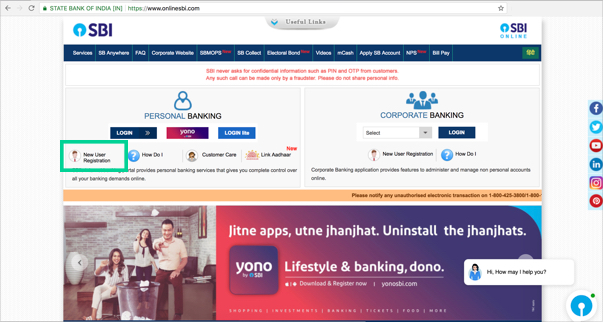
- On the next screen, you have to fill a user-driven registration form as shown below:

- After filling the form, enter OTP sent on your registered mobile number and click 'Confirm'.
- Now you will be to see two options to complete the registration. Select 'I have my ATM card' and complete the registration.
You can see demo created by SBI Bank here.
2) Kotak Mahindra Bank: Register online for Net Banking through this link: https://www.kotak.com/j1001mp/netapp/MainPage.jsp
- On this login screen, select 'Register for Net banking'
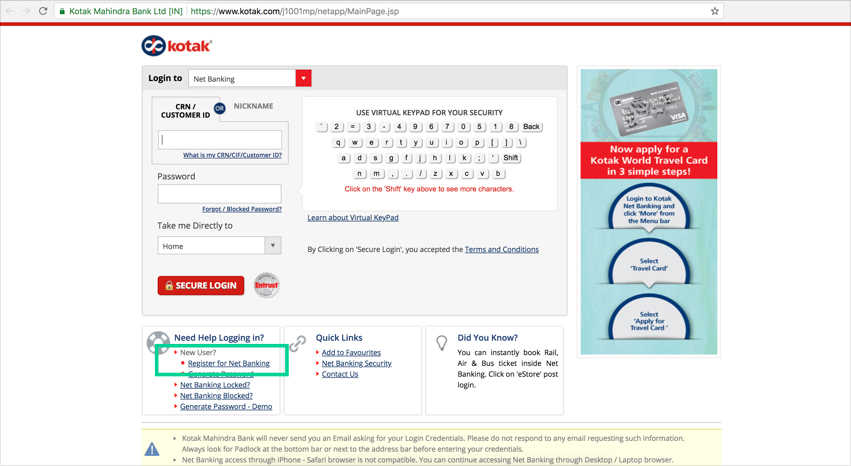
- Follow the 4 steps shown to get your username and password.
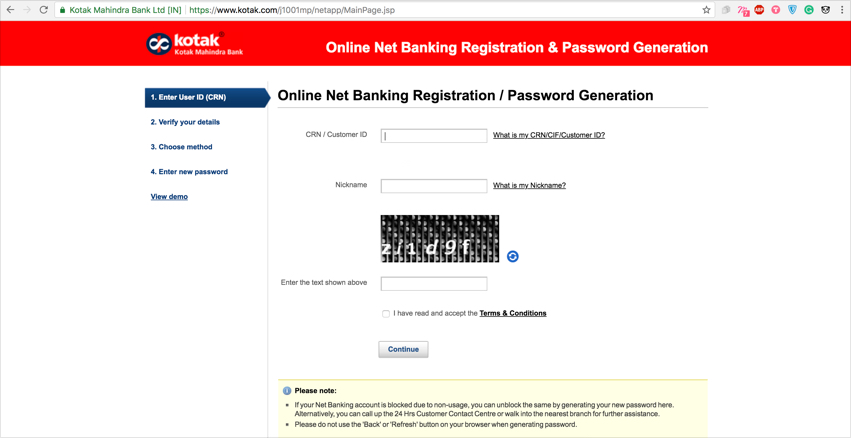
You can see the demo created by Kotak bank here. You can also request for Net Banking registration by calling Kotak Bank’s Customer Contact Centre.
3) Axis Bank: You can activate Net Banking, through this link: https://retail.axisbank.co.in/wps/portal/rBanking/axisebanking/AxisGenOnlinePwd
- Follow the 4 steps shown to get your username and password.
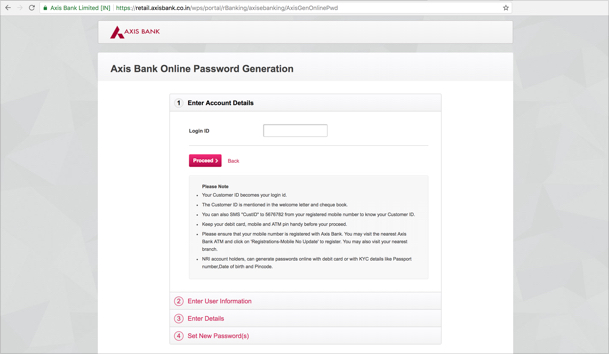
- Enter Login ID (Customer ID) & Proceed
- In the second step, enter Account Number & Registered Mobile number and then click on Proceed
- In the next step, Enter the Debit Card details
- Now, enter the password of your choice and validate this with the OTP you receive on your mobile. Please ensure that SMS Banking is active for your account.
- After completing these steps you will receive a success confirmation on the site and an SMS will be sent to you on your registered mobile number, confirming that the password has been reset.
If you have not registered for the Internet Banking facility, please visit your nearest Axis Bank Branch with a valid ID proof and submit a request. You will receive the passwords at your registered communication address.
4) HDFC Bank: Register online for Net Banking through this link: https://netbanking.hdfcbank.com/netbanking/registrationUsingOTP.htm
- On this screen, enter your Customer ID and select 'Go'
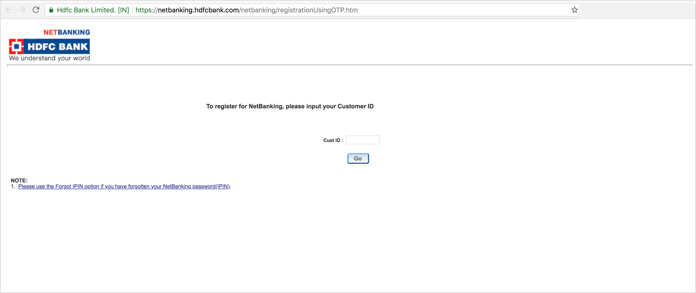
- On the next screen, confirm your registered mobile number and enter the OTP (One Time Password) which you have received on your mobile
- Select and input the Debit card details
- Set your Password.
Now, you can login to NetBanking using the newly set password. You can also request for registration through phone banking.
5) ICICI: Register online for Net Banking through this link: https://www.icicibank.com/online-services/generate-password-personal.page?
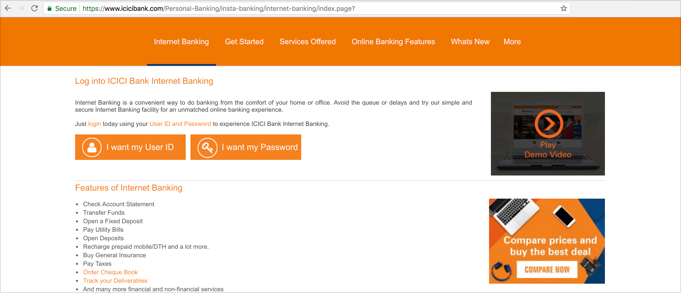
Step 1: Create your User ID
- Choose 'I want my UserID' option
- On the next screen, press the 'Click here to Proceed' button.
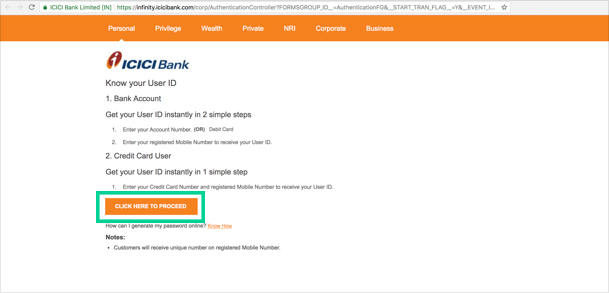
- In the next step enter your account details/debit card details along with your registered mobile number in the fields provided and click on the 'Go' button
- Your User ID will be sent to you on your registered mobile number
Step 2: Generate a new password
- Choose 'I want my Password' option
- On the next screen, press the 'Click here to Proceed' button
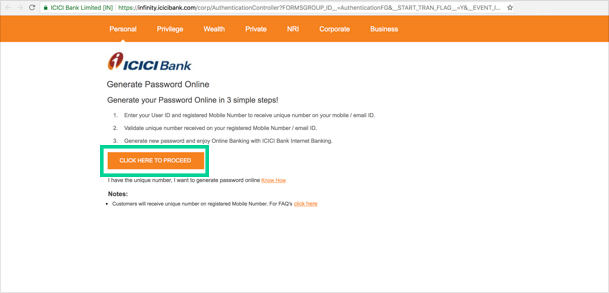
- Enter your User ID and registered mobile number to receive the unique number on your mobile/email
- Enter the unique number you have received on your mobile
- After validating, generate a new password for your net banking account
Activities my net banking